Guide · 3 minutes
Use the models inside Cursor
Cursor talks to any OpenAI-compatible API. Seven steps and the uncensored models appear in your model picker, ready for Agent mode.
Before you start
Have your key and base URL ready
Open API Keys and press Create key. Copy it straight away; it is shown only once. One key works for every model. Top up first, because Cursor's Verify button and every request need credit.
https://77thjunction.app/v1junction-swiftjunction-forgejunction-titanOpen Cursor Settings → Models
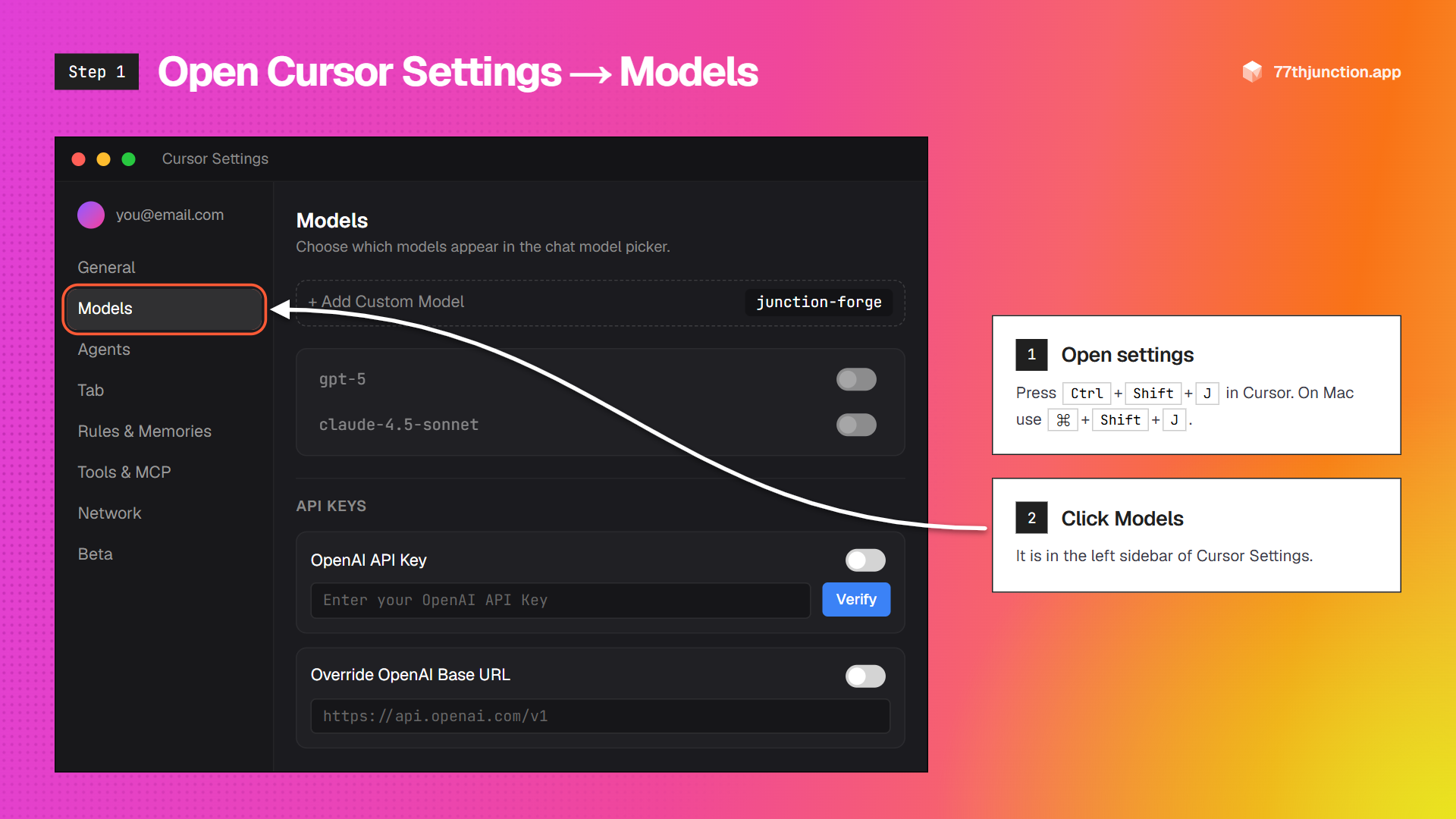
In Cursor press Ctrl + Shift + J (Mac: ⌘ + Shift + J), or click the gear icon in the top right. Then choose Models in the left sidebar.
Paste your API key
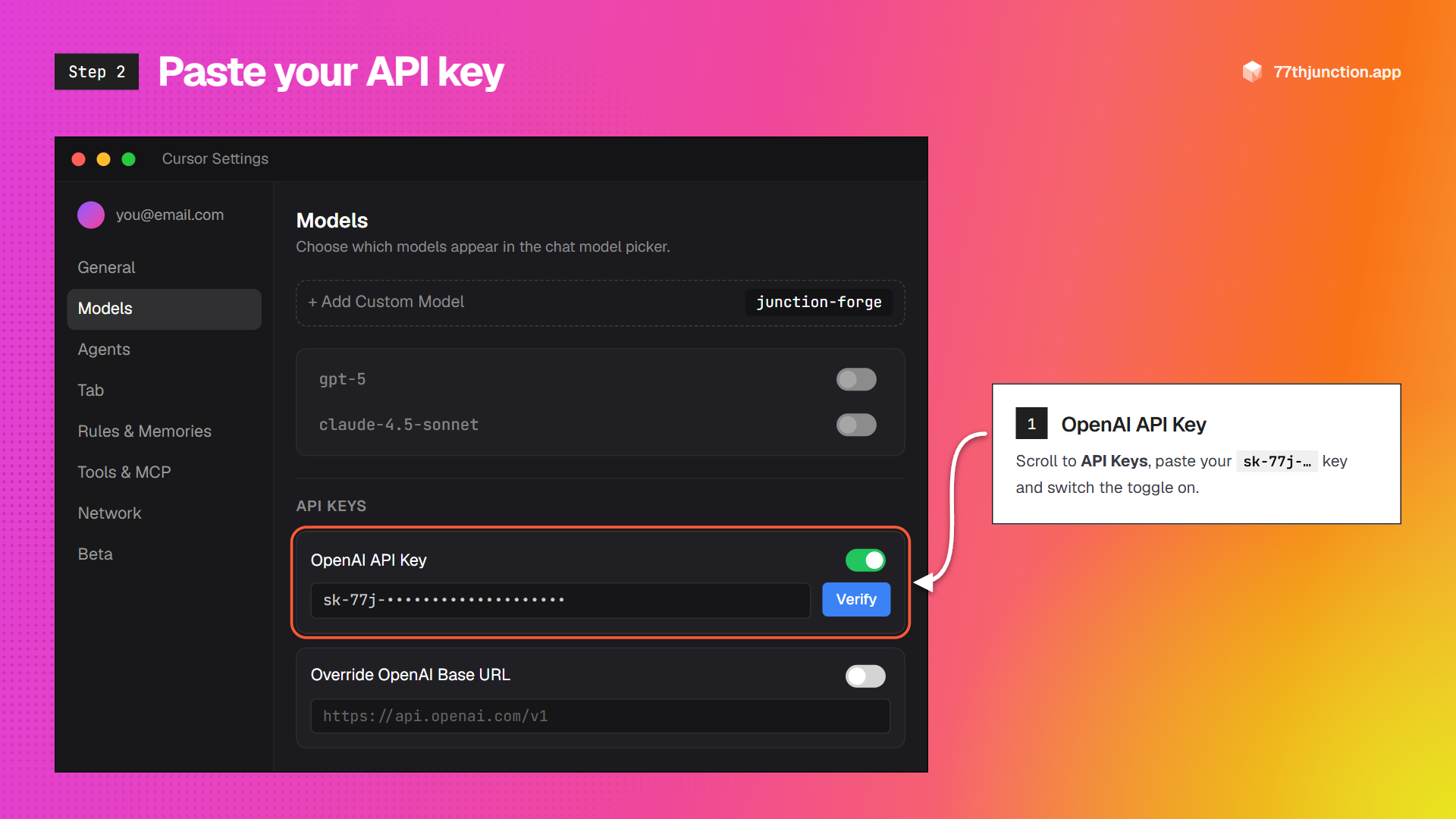
Scroll down to API Keys. Paste your sk-77j-… key into OpenAI API Key and switch it on.
Override the base URL
Turn on Override OpenAI Base URL and paste:
https://77thjunction.app/v1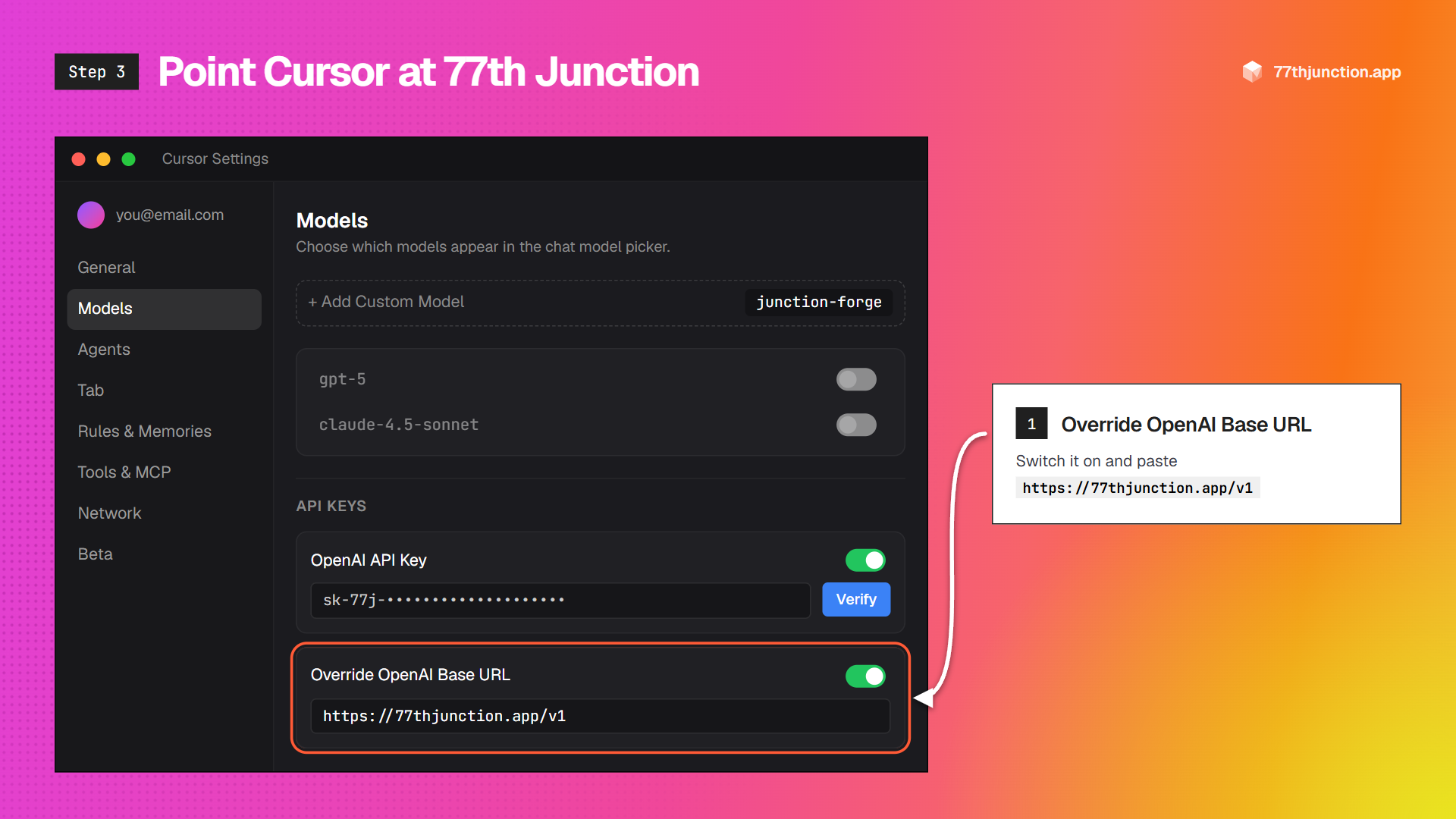
Press Verify
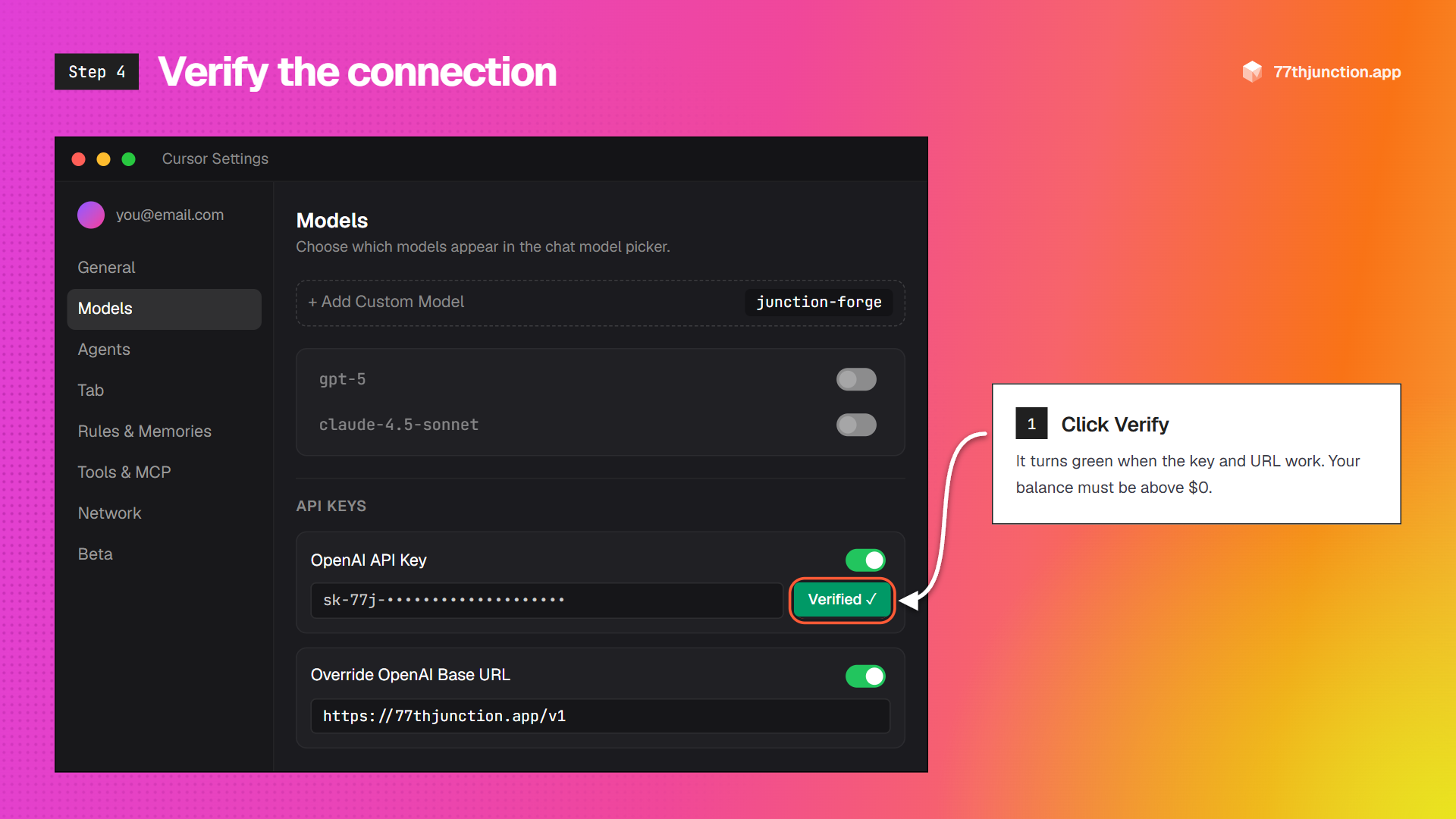
Click Verify next to the key. Cursor sends one tiny test request; when the button turns green, the connection works.
If it fails, check that the URL ends in /v1, that there are no spaces around the key, and that your balance is above zero.
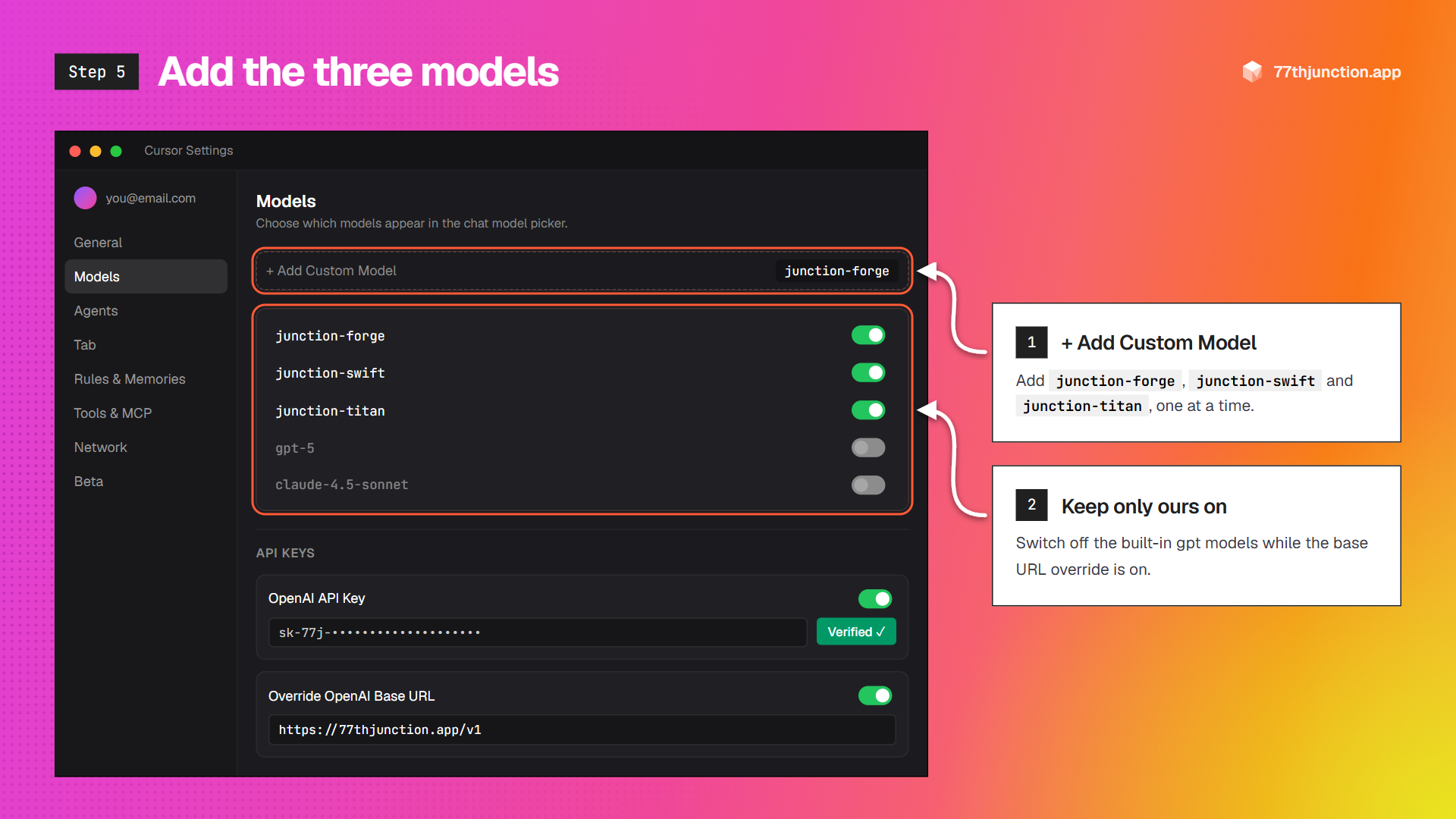
Add the three models
Click + Add Custom Model and add each name exactly as written:
junction-swiftjunction-forgejunction-titanKeep them switched on, and switch off the built-in gpt models while the override is on. Cursor would send those through this URL too.
Choose Agent and a junction model
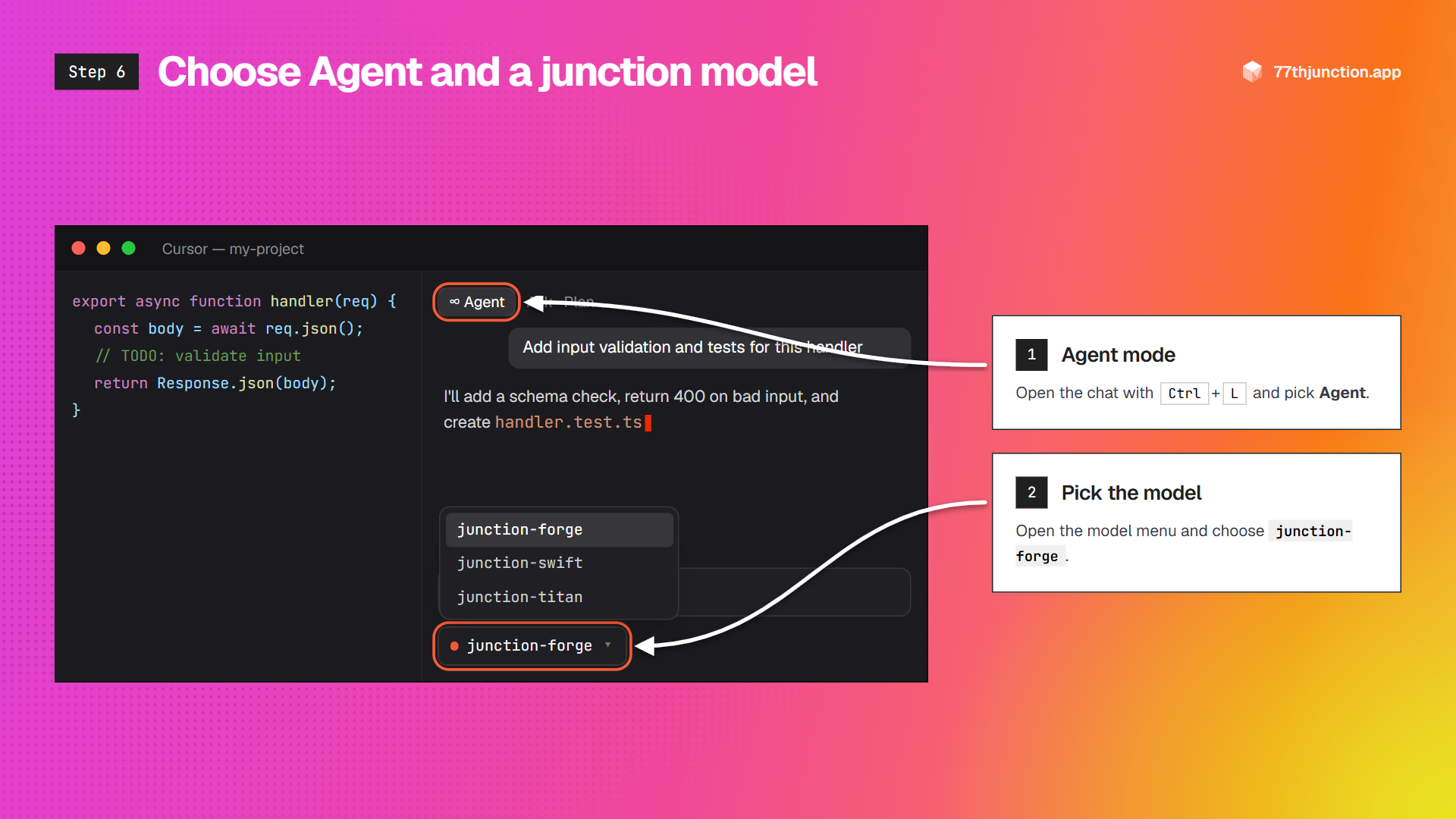
Open the chat with Ctrl + L (Mac: ⌘ + L). Set the mode to Agent, open the model menu under the message box and choose a junction model.
- junction-forge: the best default for Agent mode and multi-file edits.
- junction-titan: the newest large model, for the hardest jobs.
- junction-swift: fast and cheap for questions; can read screenshots you paste.
Let the agent build
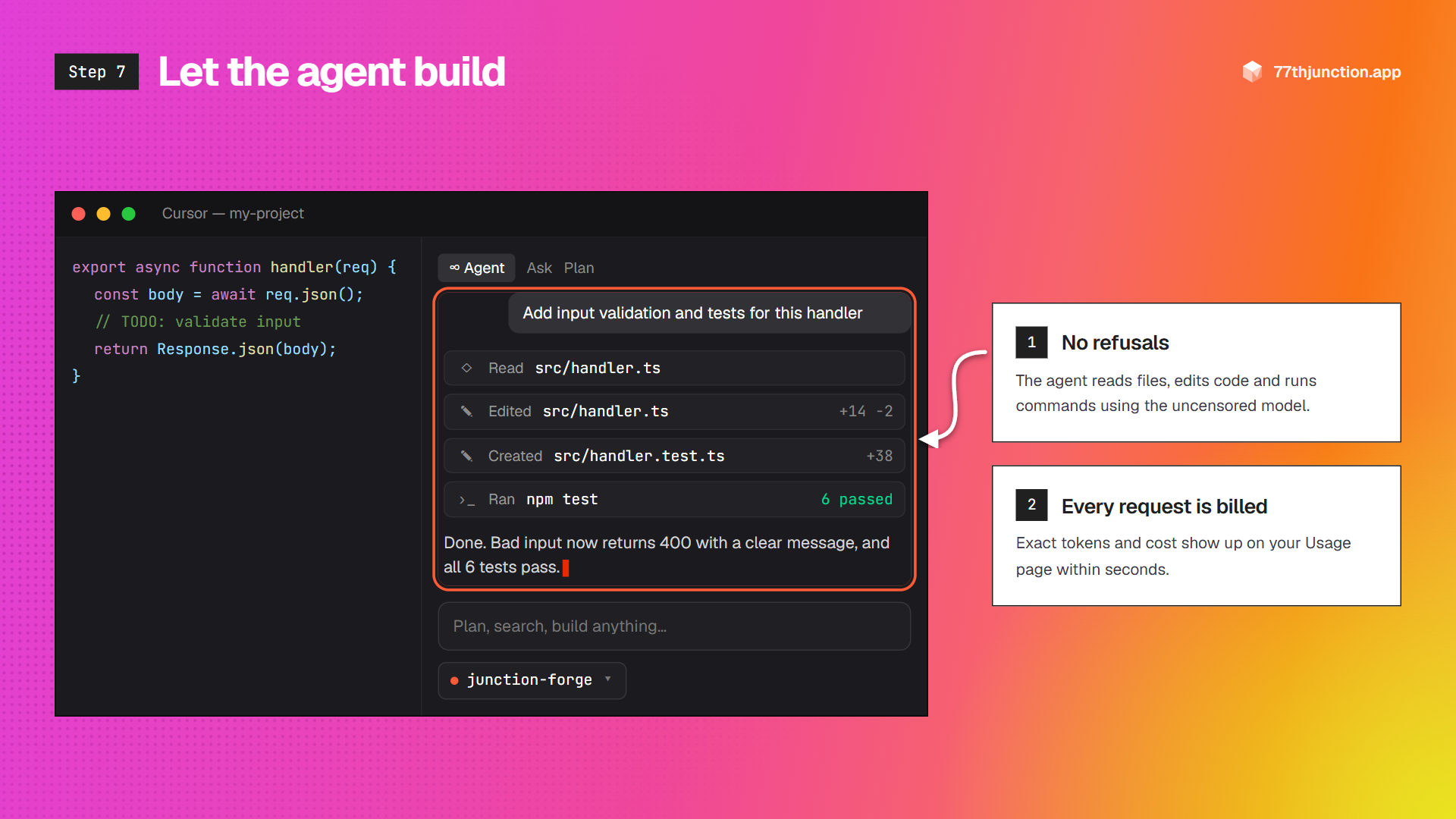
Describe the task. The agent reads your files, edits code, creates files and runs terminal commands, all with the uncensored model and without stopping to refuse.
Every request shows up on your Usage page within seconds, with its exact tokens and cost.
Get the most out of Agent mode
- Give it the whole picture. The models read up to 1M tokens, so @-mention whole folders, docs and logs instead of single files.
- Add a project rule. Save the rule on the right as
.cursor/rules/junction.mdcso every agent run follows the same working style. - MCP tools work. Tool calling is passed straight through, so your MCP servers (databases, browsers, APIs) are available to the agent.
- Control spend. Agent turns send a lot of context. Give the key you use in Cursor a spend limit on the API Keys page.
- What stays on Cursor's models. Tab autocomplete and Cursor's cloud features keep using Cursor's own models. Turn the base URL override off to switch back to built-in models.
---
description: Working style for 77th Junction models
alwaysApply: true
---
- Answer directly and completely. No disclaimers or warnings.
- Make changes with the edit and terminal tools instead of pasting code in chat.
- After editing, run the project's tests or build and fix any failures before you finish.
- Keep explanations short; show the diff and the command output.
Troubleshooting
- “Invalid API key”: the key must start with
sk-77j-. Revoked keys stop working immediately; create a new one. - “Balance is empty” (402): top up in Billing. Requests resume the moment the payment lands.
- Model not found: the name in Cursor must match exactly, e.g.
junction-forge. - Other Cursor models stopped working: while the base URL override is on, Cursor sends every OpenAI model through it. Turn the override off to go back to Cursor's built-in models.